

Product Overview
BTR2SQL is Mertech’s drop-in middleware that lets Btrieve-based applications work with Microsoft SQL Server, Oracle, or PostgreSQL — little or no source code changes required. Replace the Btrieve access DLL with the Mertech driver, migrate your data, and your application is running on a modern SQL backend.
How It Works
Your application calls the Btrieve API (B_OPEN, B_GET_NEXT, etc.) exactly as it does today. The Mertech driver DLL intercepts those calls and translates them into SQL statements for the target backend. Because the driver is a drop-in replacement for the standard Btrieve DLL, the switch is transparent to your application. Both 32-bit (wbtrv32.dll / w3btrv7.dll) and 64-bit (wbtrv64.dll / w64btrv.dll) drivers are provided.
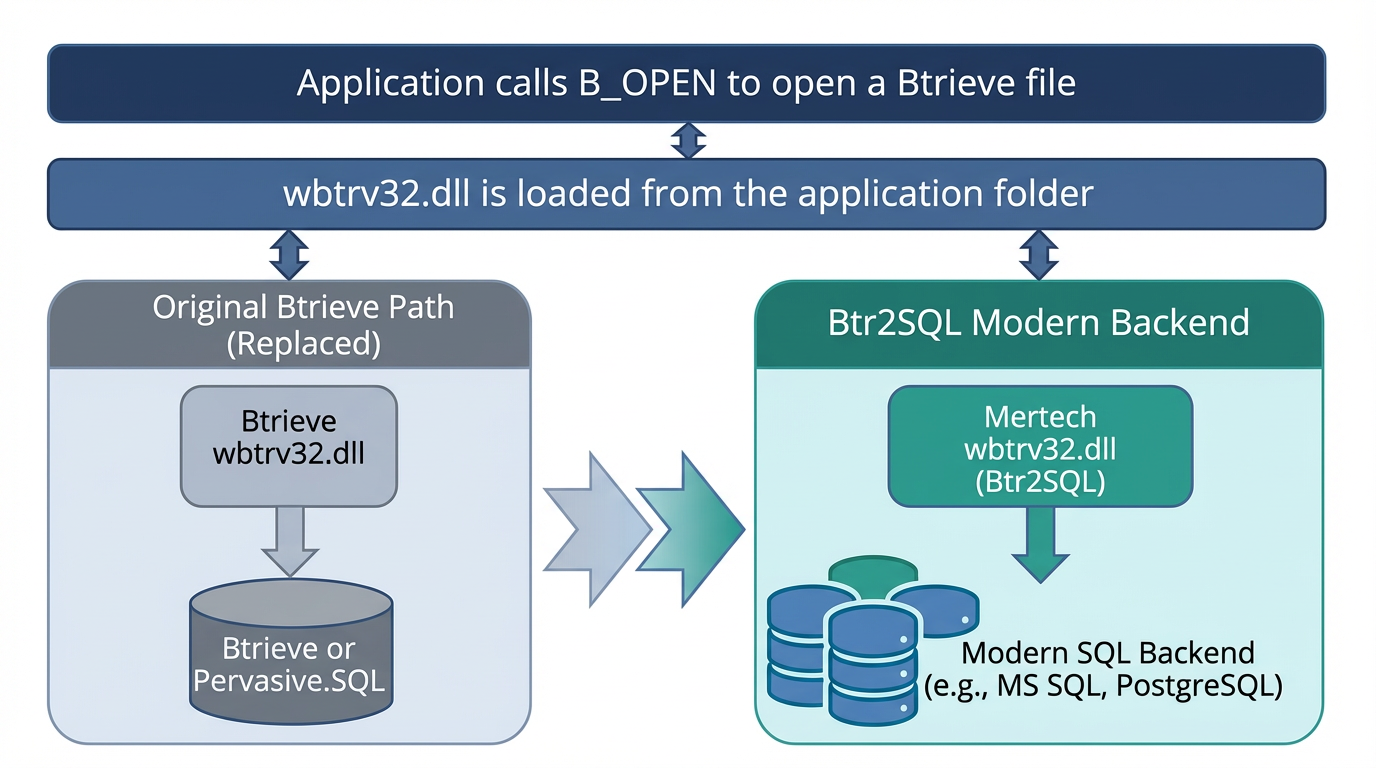
The Mertech driver DLL sits in the same position as the Btrieve engine, translating API calls to SQL.
What’s Included
Migration Utility — GUI tool for migrating Btrieve/Pervasive.SQL data files using DDFs.
Command-line migration tools — Scriptable alternatives for automated or headless migration workflows. See Command Line Utilities for details.
Database driver DLL — Drop-in replacement for the Btrieve engine that routes operations to your SQL backend.
SDK — Extended API for features beyond standard Btrieve operations.
Trace tools and validation utilities — Diagnose issues and verify that migrated data matches the original.
Supported Backends
Each backend has its own native driver that connects directly to the database server — no ODBC drivers or DSN entries are needed.
Backend |
Connection Method |
|---|---|
Microsoft SQL Server |
OLEDB (direct connection) |
Oracle |
Oracle Call Interface (OCI) via SQL*Net |
PostgreSQL |
Native PostgreSQL C API (libpq) |
License Registration
A limited 30-day evaluation license is included with the installer. To request a fully functional evaluation license, contact Mertech at https://www.mertech.com/contact-us.
When you purchase or receive a license you will get a configuration file — sql_btr.cfg (SQL Server), ora_btr.cfg (Oracle), or pgs_btr.cfg (PostgreSQL). This file must be on the system PATH. Place a copy in:
The BTR2SQL installation folder (
<Program Files>\Mertech Data Systems\DB Drivers\Btrieve\bin) — required by the Migration Utility.Your application’s folder — required at runtime by the driver DLL.